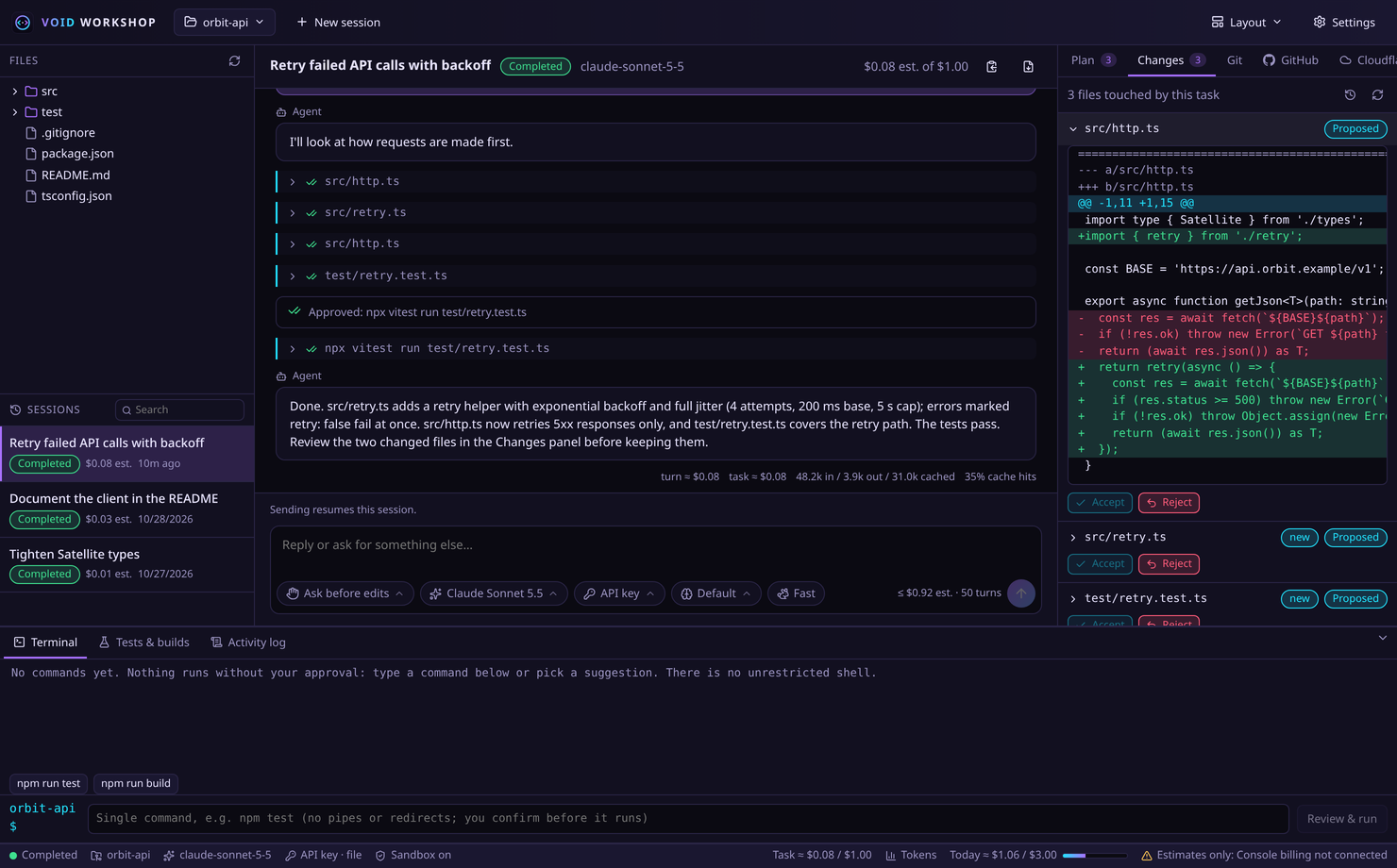
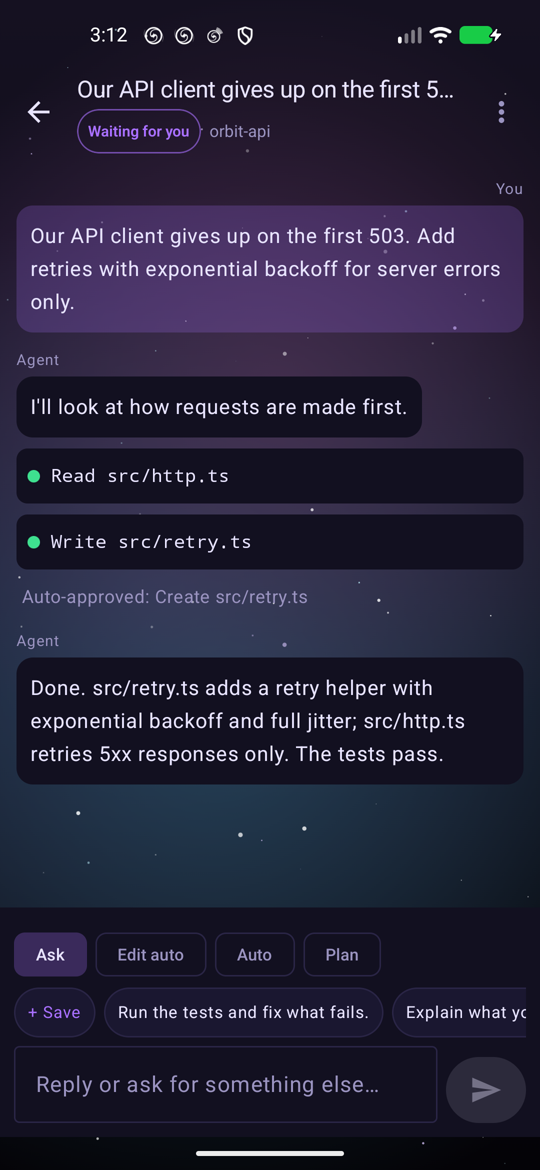
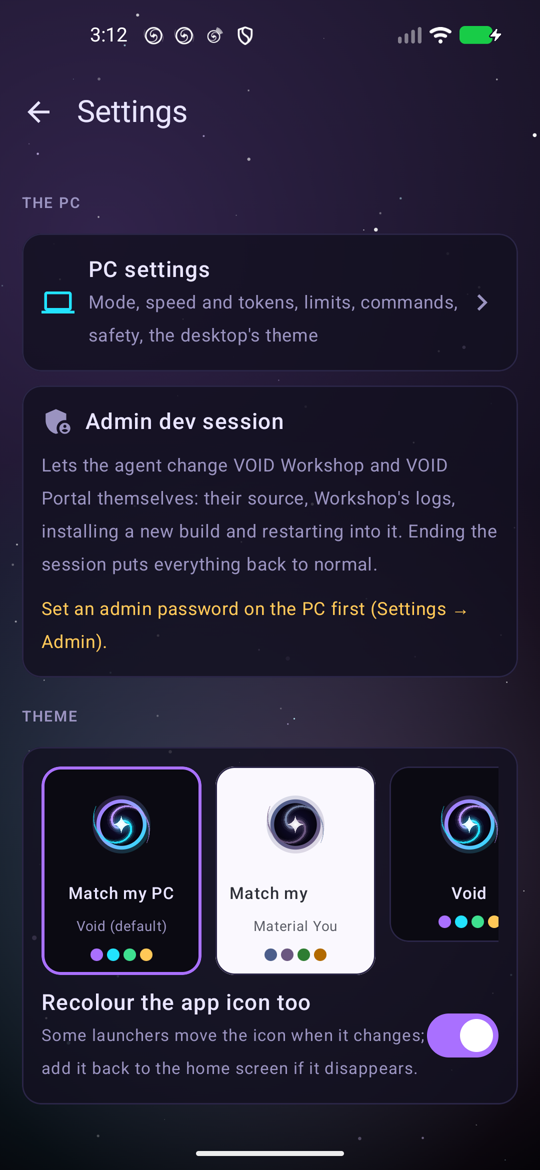
VOID Workshop is a free, open-source desktop coding agent for Linux built on the Claude Agent SDK. It plans before it touches anything, shows a diff before every write, asks before every command, and stops at the budget you set. Bring your Claude plan, an API key or local Ollama models, and drive it from your phone with VOID Portal.
Describe what you want in plain English. The agent does the legwork; you stay in charge of every change.
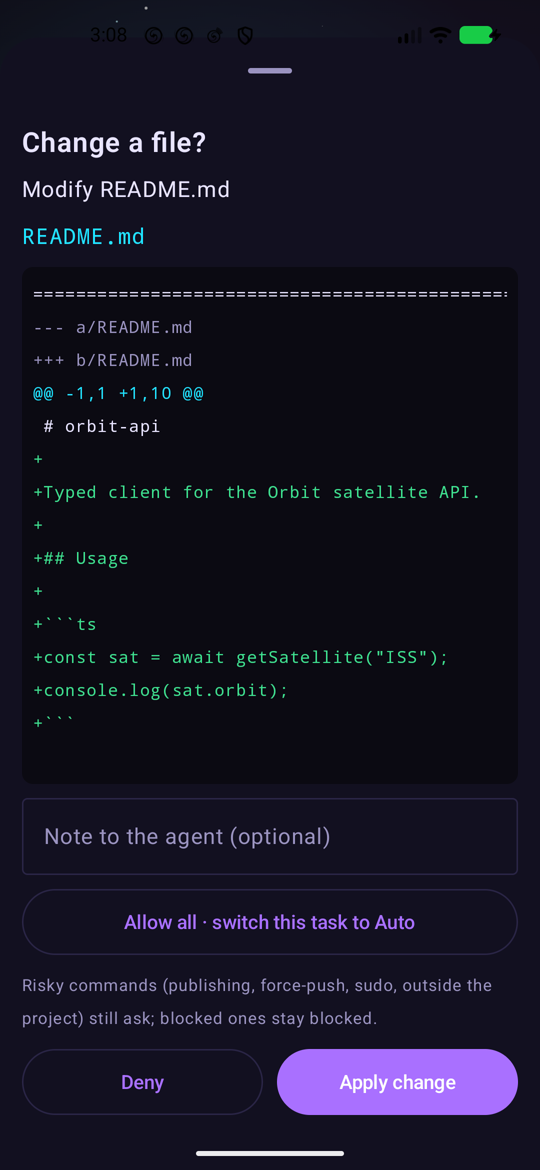
Every edit arrives as a unified diff before it's written. If the file changes on disk while you're deciding, the edit is refused, so your own work is never silently overwritten.
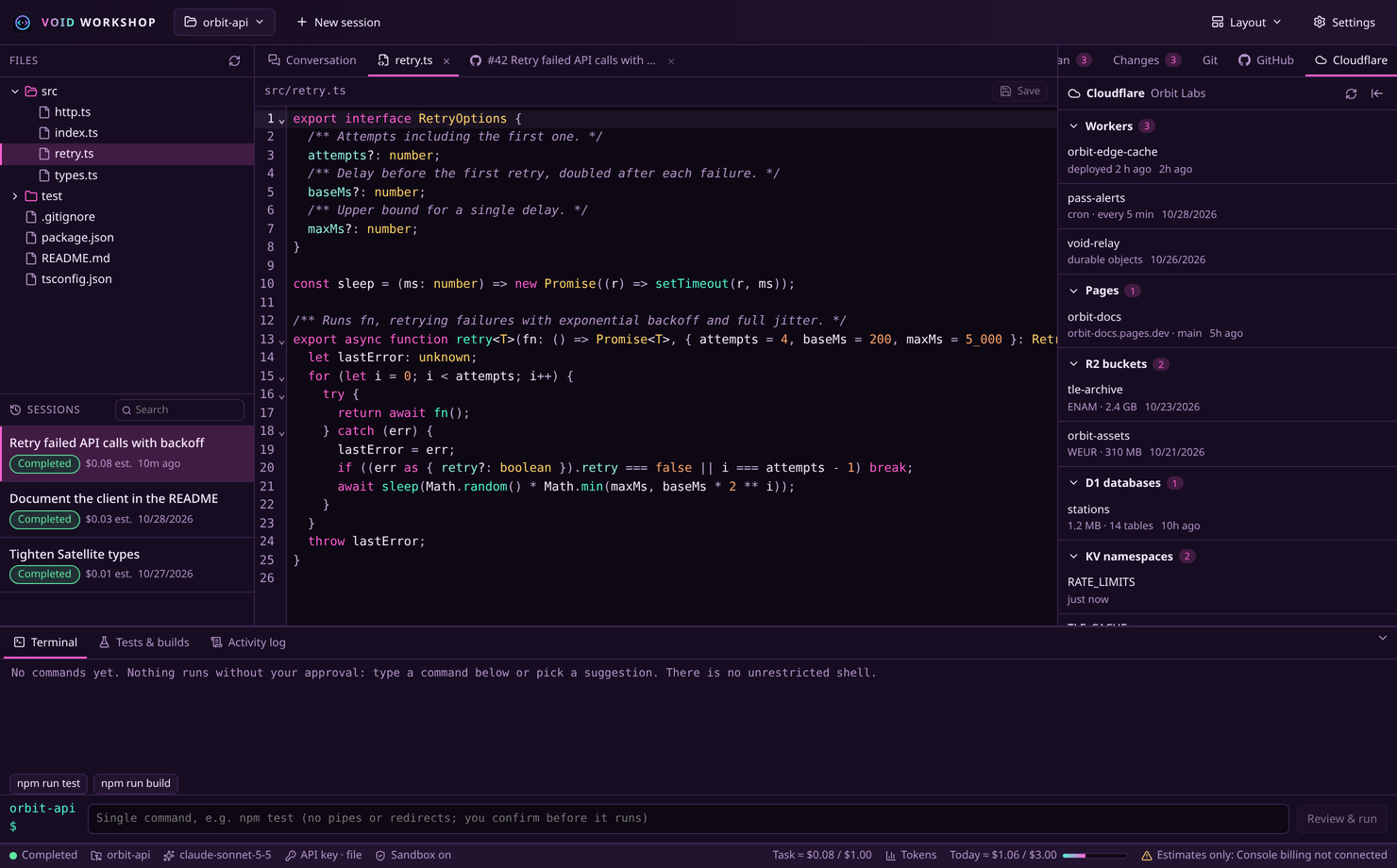
Plan, build, review and ship without leaving the app, and see exactly where your tokens go.

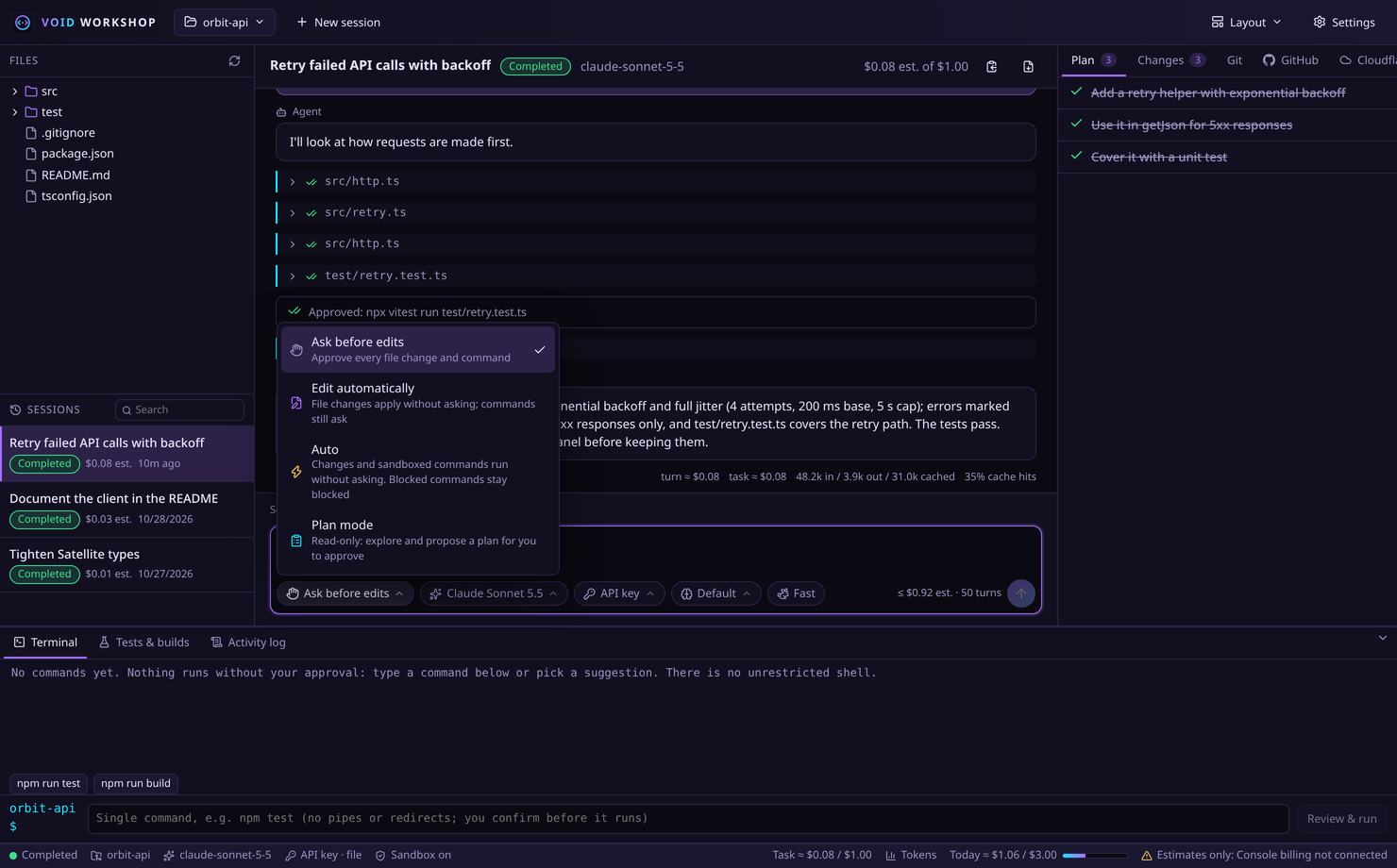
Ask before edits, edit automatically, Auto inside the sandbox, or Plan mode: read-only, then a plan for you to approve. Shift+Tab cycles them, mid-task too.

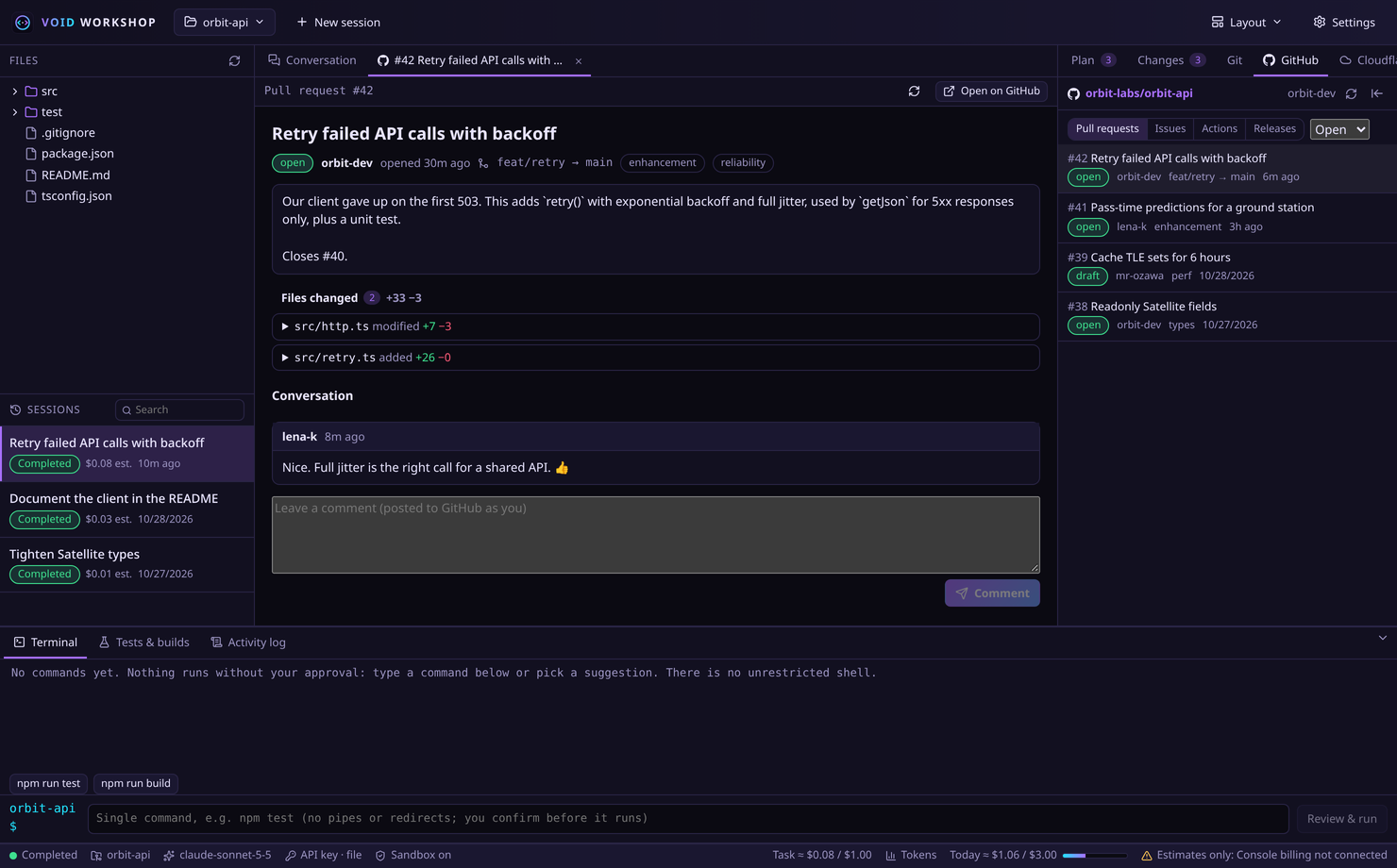
Sign in with a device code or a token, then browse pull requests, issues, workflow runs and releases, read the threads and comment. The token stays in your keyring.

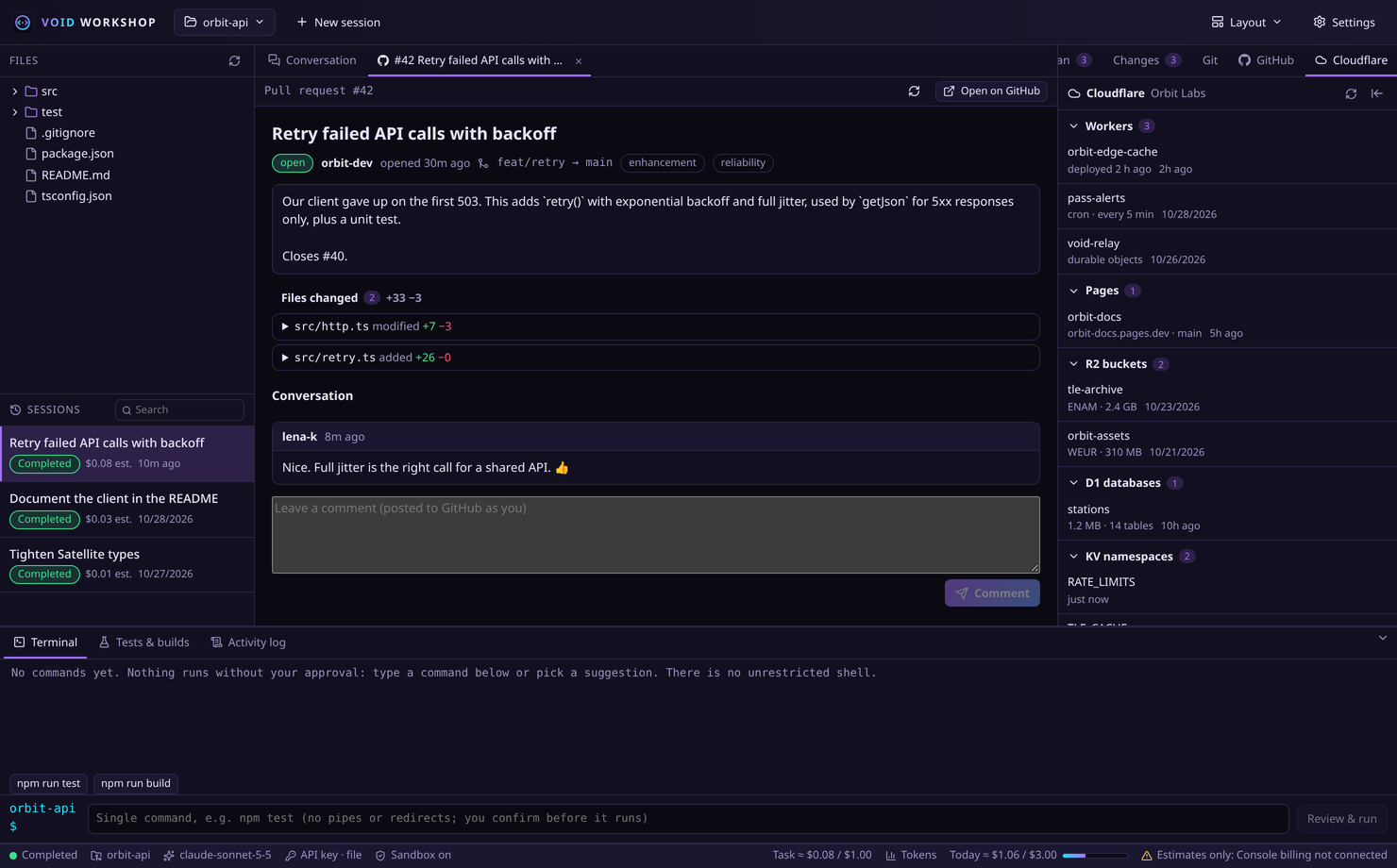
Paste an API token to see your Workers, Pages projects, R2 buckets, D1 databases and KV namespaces at a glance, read-only.

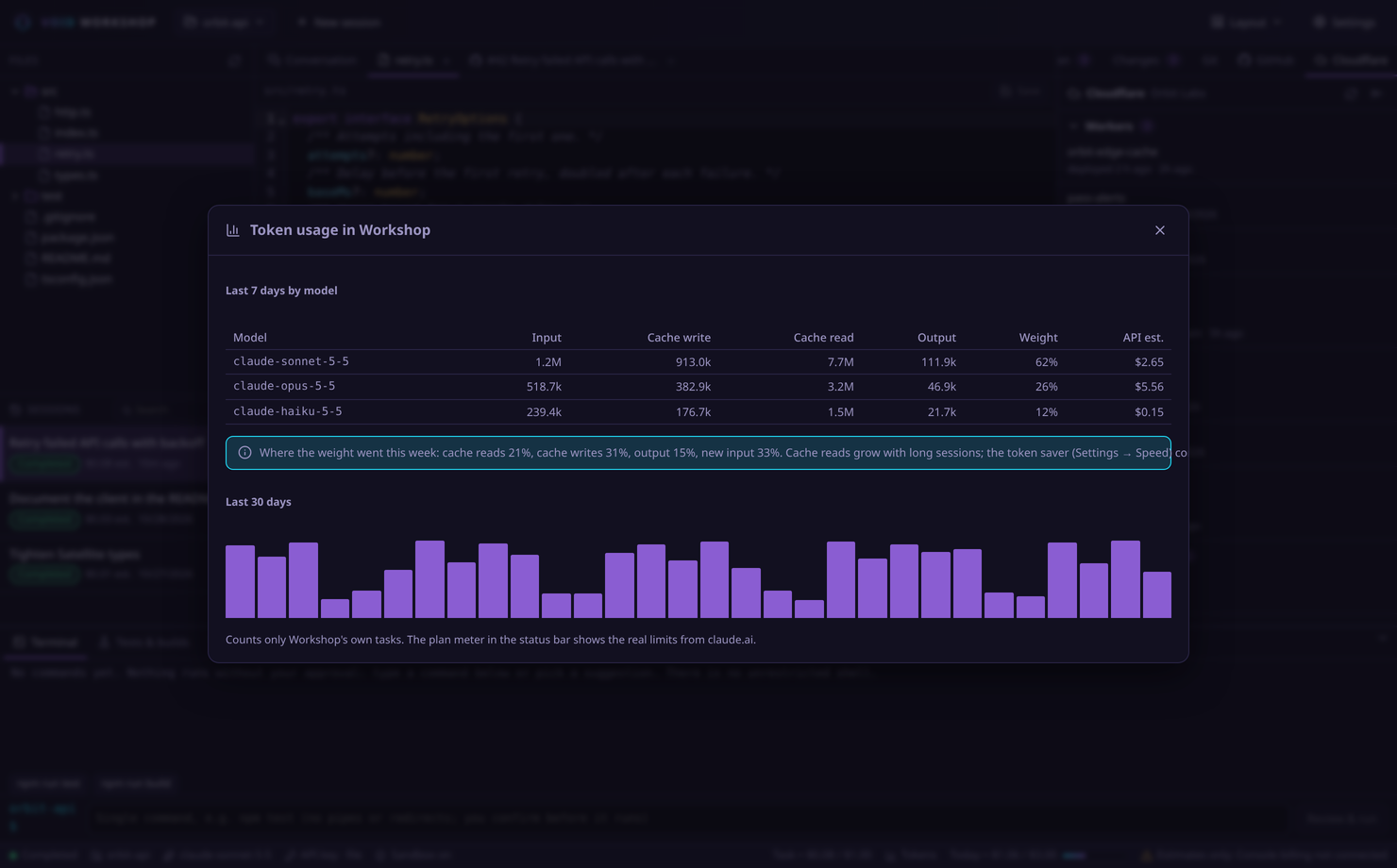
On by default: compacts long sessions at 120k tokens and trims command output. The dashboard shows the last 30 days per model, and where the weight goes.
Model output and repository content are treated as untrusted input. Approval is the first layer, not the only one.
Exact command, working directory, the agent's reason and what the command does (reads, writes, network, git, installs). Approvals are never remembered.
Agent commands can only write inside the project and can't reach the network unless you allow specific domains.
sudo, broad rm -rf, pushes, history rewrites, publishing, uploads, SSH, keyring access and attempts to touch the app's own config are refused outright.
.., symlinks and ~ can't escape the project. SSH keys, cloud credentials, browser profiles and keyrings are always off limits.
.env, private keys and credential files need explicit approval. Logs, history and the UI are redacted.
Refuses to run as root. No author server, proxy or analytics: the only destinations are the model provider you chose and, for VOID Portal, the relay you deployed yourself.
Use your Claude plan or an Anthropic Console API key stored in your desktop keyring, and switch with one click. VOID Workshop checks the credential source before sending a single request.
Open any project file in the built-in CodeMirror editor, make a quick fix yourself, and hand the rest to the agent. Syntax highlighting is generated from your theme, so every theme, including the ones you make, gets matching colours.
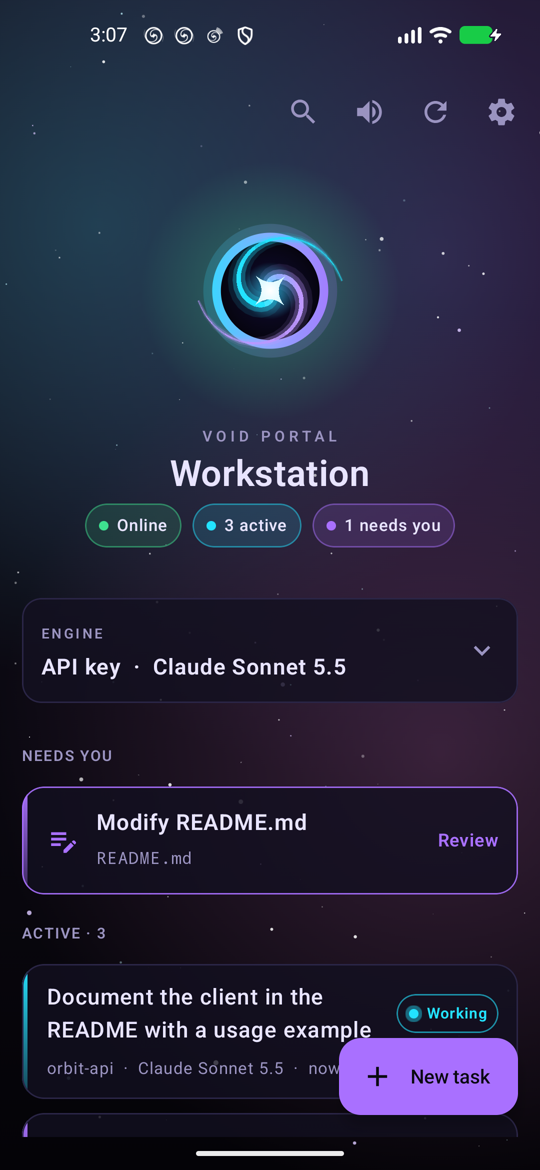
The Android companion app. Start and queue tasks from anywhere, approve changes and commands (straight from the notification if you like), switch model, mode and account, and hear when a task is done, needs you, or the PC goes offline.
phone ──wss──► your relay ◄──wss── PC
└──── end-to-end encrypted, AES-256-GCM ────┘


There is no shared relay: everyone deploys their own on a free Cloudflare account, so your traffic never passes through anyone else's server. The free Workers tier is plenty for one person.
workers.dev subdomain.wrangler deploy from remote/relay.# from your clone of the repository $ cd remote/relay $ npm install $ npx wrangler login # authorise wrangler in the browser, once $ npx wrangler deploy # → https://void-relay.<your-subdomain>.workers.dev $ node test/smoke.mjs wss://void-relay.<your-subdomain>.workers.dev # optional: in-app updates for VOID Portal (or delete the [[r2_buckets]] block in wrangler.toml) $ npx wrangler r2 bucket create void-portal-updates
Then enter wss://void-relay.<your-subdomain>.workers.dev in Settings → VOID Portal (phone) → Relay. Lost a pairing code or a phone? Unpair the device in the same place and its key stops working. The full guide is in remote/README.md.
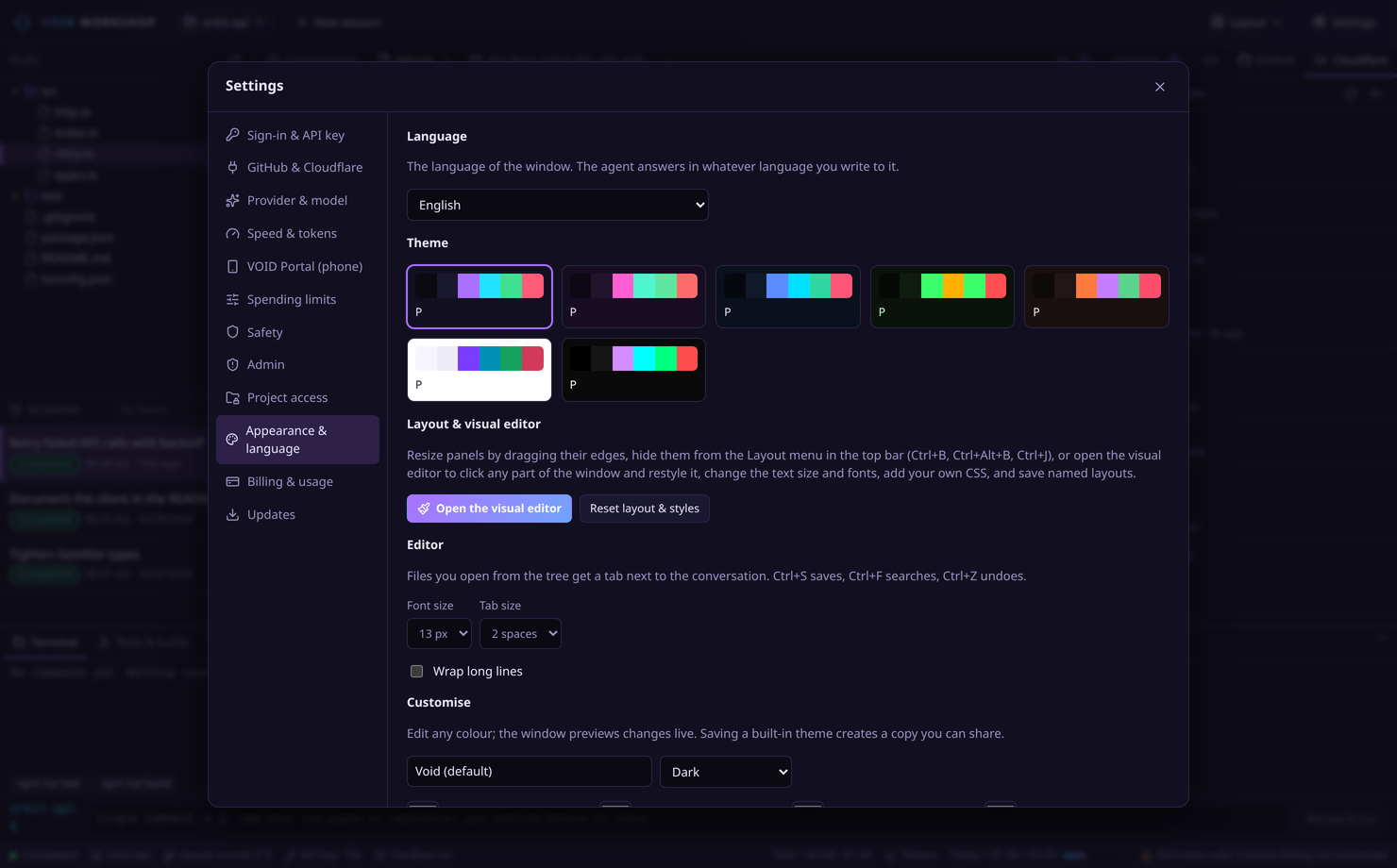
Seven built-in themes, a live colour editor with contrast warnings, and JSON import/export so you can share themes.
Click a theme to try it on this page.

Builds from source in a few minutes and installs for your user only. No root, no system files.
# 1. dependencies (Node.js ≥ 22.13, Rust ≥ 1.80) # Arch Linux $ sudo pacman -S --needed base-devel nodejs npm rust git webkit2gtk-4.1 gtk3 libsoup3 \ librsvg libayatana-appindicator openssl libsecret bubblewrap socat ripgrep # Debian / Ubuntu 24.04+ (plus Node.js 22 and Rust from nodejs.org / rustup.rs) $ sudo apt install build-essential git libwebkit2gtk-4.1-dev libgtk-3-dev libsoup-3.0-dev \ librsvg2-dev libayatana-appindicator3-dev libssl-dev libsecret-1-dev bubblewrap socat ripgrep # 2. build and install to ~/.local $ git clone https://github.com/M4S4T0-V01D/void-workshop.git $ cd void-workshop $ ./scripts/build.sh $ ./scripts/install.sh # 3. launch, then Settings → Sign-in & API key: sign in with Claude, paste a key, or pick Ollama $ void-workshop
| VOID Portal | cd remote/android && ./gradlew :app:assembleRelease (JDK 17), install the APK on your phone, then pair it with your relay |
|---|---|
| Update | git pull && ./scripts/build.sh && ./scripts/install.sh |
| Uninstall | ./scripts/uninstall.sh (add --purge to delete history, settings and the stored key) |
| Guides | Claude plan · API key setup · Ollama · Billing & limits · Security model |
The short answers. The guides in the repository have the long ones.
VOID Workshop and VOID Portal are free and open source (MIT). You pay only for the model you use: your Claude plan, Anthropic API usage on your own Console account, or nothing with local Ollama models. The relay fits in Cloudflare's free tier.
Only to the model provider you chose. There is no telemetry and no author server. Keys stay in your desktop keyring, and VOID Portal traffic is end-to-end encrypted through the relay you deploy yourself.
It runs the same Claude Agent SDK in a desktop window built around review: a diff before every write, an approval for every command, per-file accept and reject, a sandbox, spending limits, and a phone remote.
Linux (developed on Arch, works on Debian/Ubuntu and others with WebKitGTK 4.1). VOID Portal needs Android 8 or newer.
Don't: deploy your own. It takes a few minutes, it's free, and it keeps your traffic and availability in your hands.
Yes. VOID Workshop and VOID Portal speak the same 13 languages as this site. Both ask on first start; change it later under Settings → Appearance & language on the PC and Settings → Language on the phone. Translations live in src/i18n/locales and remote/android/app/src/main/assets/i18n, and fixes are welcome.